




























































Getting Started
Welcome aboard, explorer! Planet ETN runs on a modern Web3 login system, but you can also add a username, email, and password for easier everyday use.
Follow these simple steps to launch your account.
Get a Web3 Wallet
To create an account you’ll need a Web3 wallet such as MetaMask, Trust Wallet, or Rabby.
Your wallet allows you to sign in securely using a simple signature. No gas fee, no transaction - just a confirmation that you are in control.
Connect Your Wallet
Click Connect and your wallet will ask you to sign a short message.
- It’s safe
- It costs nothing
- It does not give access to your funds
This activates your Planet ETN account.
From here on, your wallet is your “keycard” and you can always login using Web3 wallet, it will always override any Password.
Add Username, Email & Password
You can use Planet ETN without these, but you’ll enjoy the platform much more if you add them.
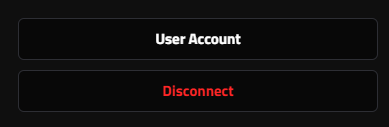
In desktop/laptop you have this after login to access user account settings:
In mobile you press
and find:
Press User Account to access your user profile settings.
Username
Shown publicly on posts, forums and comments.
Great for receiving:
- Comment notifications on your Planet profile
- Forum discussion updates
- Important account messages
Password
Allows you to use "Login" easily from any device without needing your wallet every time.
Recommendation:
Set all three to experience Planet ETN without friction.

Link / Lock Your Planet
If you own one or more planets, you need to choose which one your account should manage. Each account (wallet) can only control one planet.
To link your planet, open Edit Profile & Settings in User Account and go to the last tab called “Planet Link”. There you can select one of the planets you own and press Lock.
Once locked, this becomes your active planet for posting announcements, updating details and managing your profile. You can Edit Profile and Write Posts in the bottom of your planets box:
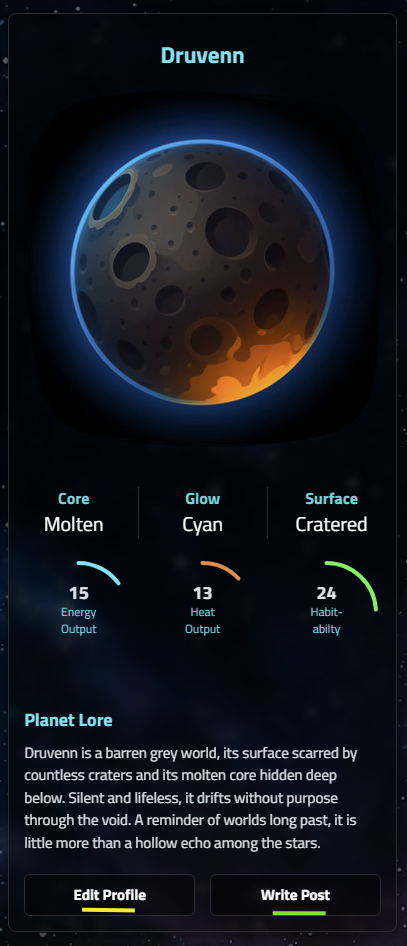
Just navigate to your Planet and Get Started!
FAQ
Is the wallet Login / Signature safe?
Yes. It’s not a blockchain transaction and it doesn’t expose your private keys.
Why add an email?
To receive notifications from forums and comments, especially if you’re managing a Planet profile. Its optional and you can leave the default dummy one you got on first login!
What if I sell or transfer my planet?
Ownership is checked automatically.
Your account stays, but planet editing moves to the new owner.
How do I add a profile picture?
Planet ETN uses Gravatar.com. Simply create a profile there using the same email you set on Planet ETN, and your avatar will automatically appear across the platform - in comments, forums, and your profile.